Chord Notator — Getting Started: Write Your First Chord Chart
You just found a progression you love at the piano. You’re transcribing a standard for tomorrow’s rehearsal. You’re arranging a cover and need 8 bars on paper fast.
Chord Notator was built for moments like these. It is a browser-based chord chart editor — no software to install, no music notation to learn, no friction. Just a clean grid where you write chord symbols the way every musician already writes them.
What Is Chord Notator For?
Chord Notator is not a full notation program like Sibelius or MuseScore. It does one thing and does it well: chord charts (also called lead sheets or grilles d’accords).
A chord chart is the standard format for jazz, pop, and most contemporary music. It shows chord symbols above a structure grid, leaving rhythm, dynamics, and phrasing to the performer. It is what a session musician reads, what a band rehearses from, what a composer uses to sketch harmonic ideas.
With Chord Notator you can:
- Write a chord chart from scratch in minutes
- Edit chords instantly with a visual palette or a MIDI keyboard
- Read the chart in Gig Mode — large, high-contrast, readable on stage
- Share charts live with other musicians during a Jam Session
The Interface at a Glance
When you open chordnotator.com, you land directly on a blank chart.
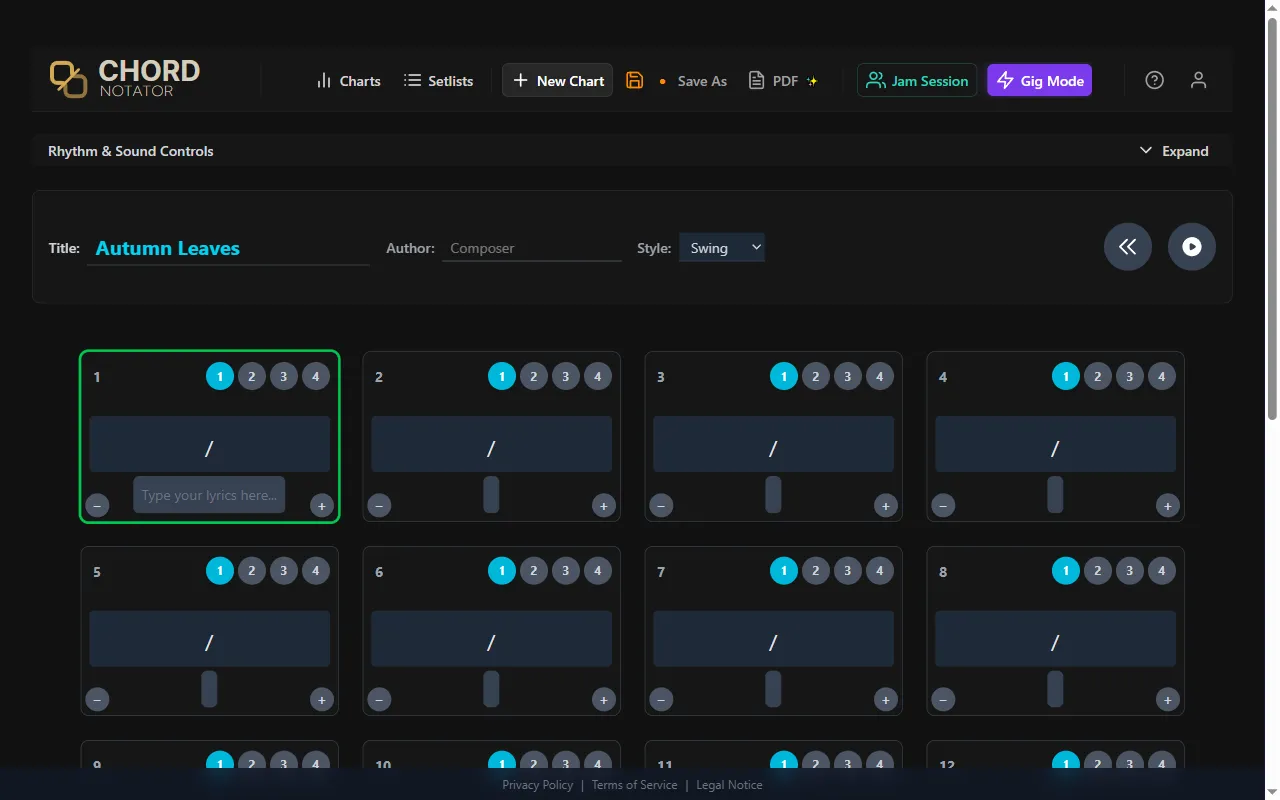
The layout is intentionally minimal:
- Song info bar — title, composer, style (Swing, Bossa Nova, Ballad…)
- Measure grid — 4 measures per row by default, as many rows as you need
- Header — New Chart, Save, PDF export, Jam Session, Gig Mode
Start by clicking the Title field and naming your chart. Everything else follows from the grid.
Entering Chords: The Chord Palette
Click any empty measure. The Chord Palette opens.
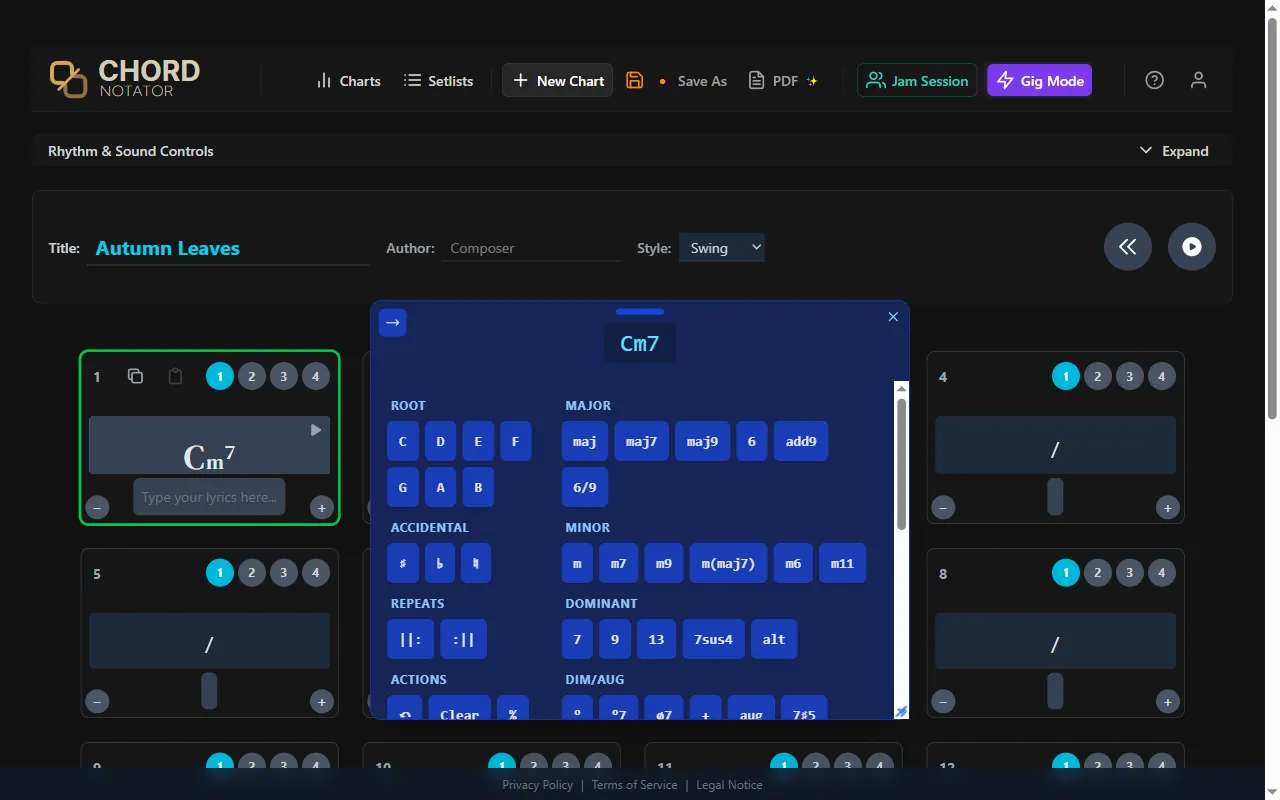
The palette is split into two columns:
- Left column — root note (C through B) and accidentals (♯ ♭)
- Right column — chord quality, grouped by family: Major, Minor, Dominant, Dim/Aug, Suspended, and Alterations
To enter a chord, three clicks maximum:
- Click the root —
C - Click the accidental if needed —
♭for B♭,♯for F♯ - Click the quality —
m7,maj7,7,°7…
The chord appears in the measure immediately, rendered in professional lead-sheet typography: root in full size, extension superscripted.
MIDI input: Connect a MIDI keyboard and play a chord — Chord Notator recognizes it and writes the chord symbol automatically. No clicking required.
In Practice: The A Section of Autumn Leaves
Let’s write something real. The A section of Autumn Leaves is one of the most-played sequences in jazz — a descending cycle of fifths through two keys:
| Measure | Chord | Key area |
|---|---|---|
| 1 | Cm7 | B♭ major |
| 2 | F7 | B♭ major |
| 3 | B♭maj7 | B♭ major |
| 4 | E♭maj7 | B♭ major |
| 5 | Am7 | G minor |
| 6 | D7 | G minor |
| 7–8 | Gm | G minor |
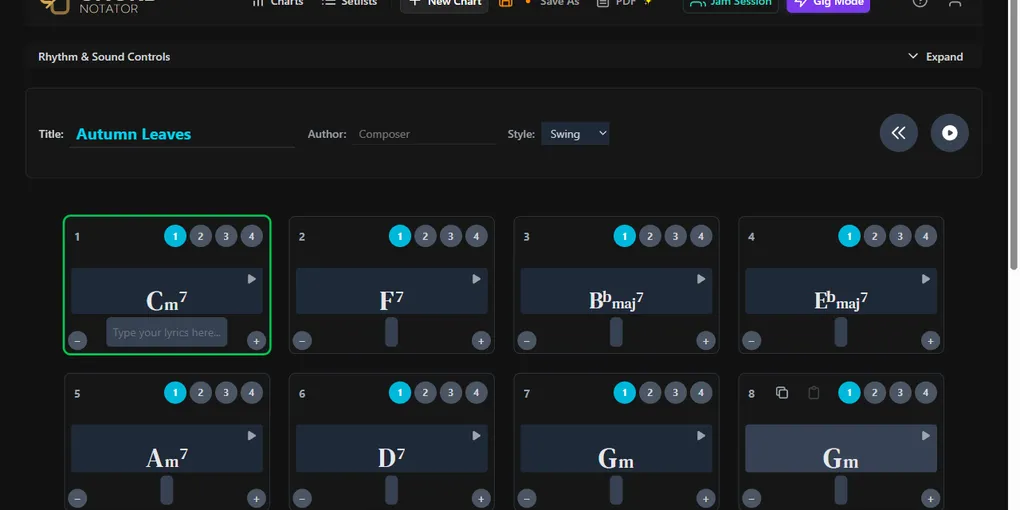
Click measure 1, select C + m7. Close the palette, click measure 2, select F + 7. Repeat for each measure — the whole section takes under a minute.
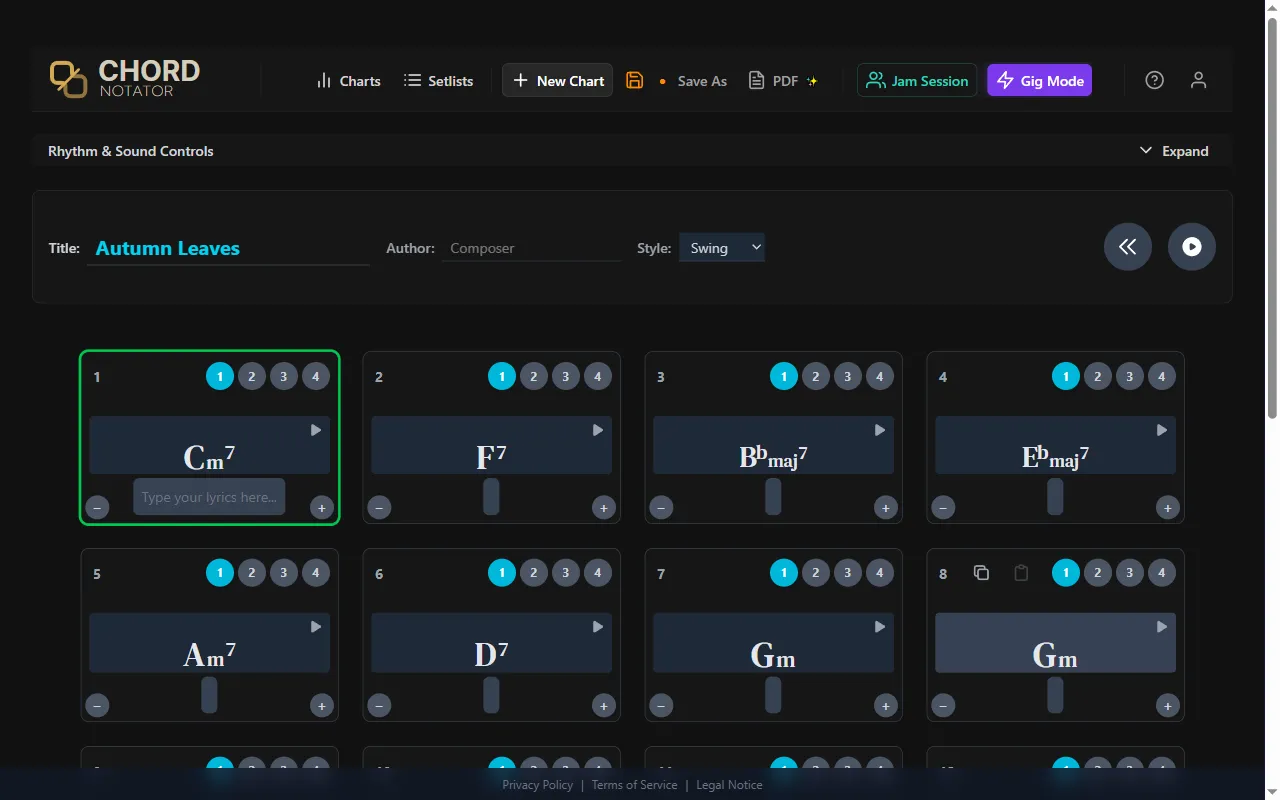
Notice that B♭ stays B♭ — not A♯. Chord Notator follows jazz spelling conventions and handles enharmonics correctly.
Save and Share
Chord Notator autosaves as you work. You can also click the Save button in the header at any time to save manually. Your chart is stored in your account and available from any device.
Need a PDF? The PDF button generates a printable lead sheet with clean typography in one click.
→ Try it now on chordnotator.com
What’s Next
You now know the fundamentals. In the next guide we go further:
- Subdivisions — how to place two or more chords inside a single measure
- Adding and removing measures — adapting the grid to any song form